Gift Card as a Payment in the LS POS
When the button with Pay Gift card on the POS is used the following window pops up:
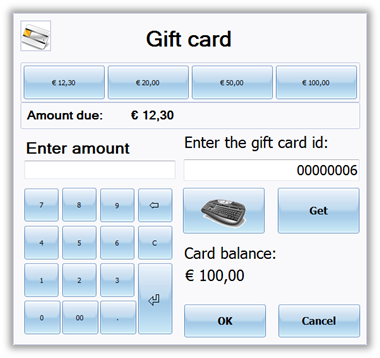
The POS user:
- Enter the gift card number which exists and is active in the Site Manager.
- Click on the button Get.
- The gift card amount is displayed as Card balance.
- Finish by either entering the amount and then OK or use the amount buttons.
Note:
- It is possible to pay with part of the gift card.
- It is possible to pay the whole amount with the gift card and the configuration of the gift card payment will decide the how the difference is paid.
- It is not necessary to use the Get button to retrieve the card balance.

